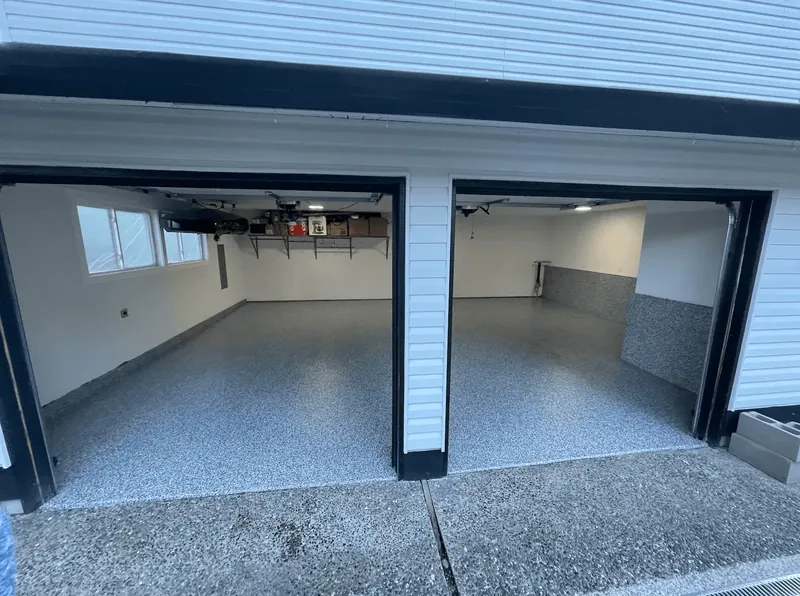
Key takeaways
- A coating contractor's website has five jobs: show where you work, show what you install with your own photos, make an estimate request easy, prove you're trustworthy, and load fast on a phone.
- Give each system its own page (flake, metallic, quartz, commercial) and say plainly what's included: grinding, repairs, moisture testing, coats and warranty.
- Keep the estimate form short: name, phone, town, space and rough size, with a tap-to-call button beside it.
- Aim for Google's 'good' page experience thresholds: content visible within 2.5 seconds, responses to taps within 200 milliseconds and almost no layout shift.
- Track form submissions and calls from day one, and record the source of every lead, or you'll never know which pages bring jobs.
A coating contractor’s website has five jobs: show where you work, show what you install with photos of your own floors, make it easy to request an estimate, prove you’re trustworthy, and load fast on a phone. Track what it does from the first day. Homeowners search “epoxy flooring companies near me” 10K–100K times a month in the US, and “epoxy floor installation cost” in the same range; a site that answers both questions plainly turns those searches into calls.
This guide covers the pages, the estimate form, photos, trust signals, speed, local search basics and tracking, with a launch checklist at the end.
The pages a coating website needs
| Page | What it must answer | Must-haves |
|---|---|---|
| Home | Who you are, what you install, where | Service area, systems with photos, phone number, estimate button, reviews |
| One page per system | What flake, metallic, quartz or a commercial system is, and who it suits | Your photos, how it’s installed, cure and return-to-service times, warranty |
| Prep and process | Why your floor lasts | Grinding, repairs, moisture testing, number of coats, what a job day looks like |
| Pricing | What it costs and why | Ranges, a minimum job, what moves the price, what’s included |
| Gallery | Proof of work | Before-and-after pairs, close-ups, the system named on each |
| Reviews | Social proof | Recent reviews and a link to your Google reviews |
| Warranty | What you stand behind | A plain summary, what’s excluded, how to make a claim |
| About | Who’s coming to the house | The owner and crew, insurance, any licenses, years in the trade |
| FAQ | The questions you answer on every call | Short, honest answers (see below) |
| Estimate request | How to start | A short form, tap-to-call, what happens next |
| Privacy policy | What you do with their details | Required for lead forms and by some states |
Area pages (one per town) help only when each has something real to say: jobs you’ve done there, local conditions, how far you travel. Pages that change only the town name count as doorway pages under Google’s spam policies, and they can hurt the whole site.
The estimate request form
Ask only what you need to call back well:
- name and mobile number (email optional);
- town or ZIP code;
- the space: garage, basement, patio, commercial;
- rough size: one-car, two-car, three-car, other;
- what’s on the floor now: bare concrete, paint, an old coating, not sure;
- an optional photo upload of the floor;
- a consent checkbox if you’ll follow up by text, unchecked by default, with a short disclosure.
Next to the form, put a tap-to-call button and say what happens next: “We’ll call within the hour during business hours.” Then keep that promise; speed decides many jobs (see epoxy flooring leads).
Photos that sell floors
- Your own work only. Never stock photos of floors you didn’t install; buyers notice, and it undermines everything else on the page.
- Before and after from the same corner and height, so the change is obvious.
- Process shots: grinding with the dust extractor running, crack repair, the flake going down. They show the prep a kit doesn’t include (see DIY kit vs professional floor).
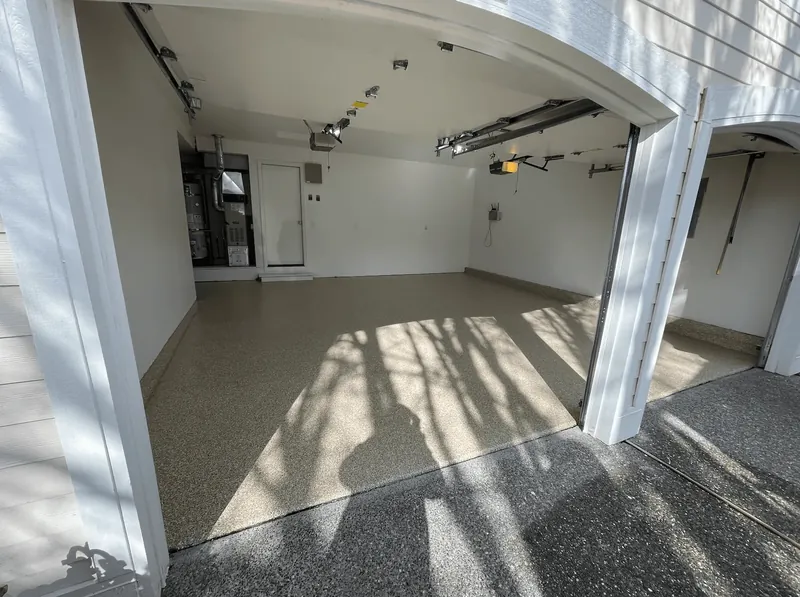
- Close-ups of the flake blend, metallic swirl or quartz texture, with the system named.
- Permission and privacy: written permission from the customer; no house numbers or license plates in frame.
- Compressed files sized for the screen, so the page stays fast.
Trust signals
- Reviews, recent and real; a link to your Google reviews (and never incentives for them: see Google Business Profile for epoxy contractors).
- A warranty summary in plain words, with its exclusions (see epoxy floor warranties).
- Proof of insurance on request, and your license number where your state requires one.
- The owner’s name and face, and the people who’ll be in the customer’s garage.
- A real address or service area, and a phone number someone answers.
FAQ content that answers the real questions
Write the answers you give on the phone every week:
- What does a two-car garage cost, and what changes the price?
- How long does the install take, and when can I walk and park on it?
- Do you grind the concrete? Why does it matter?
- What happens if my slab has moisture or cracks?
- What’s the difference between epoxy and polyaspartic?
- What does your warranty cover, and what doesn’t it?
- How do I clean the floor? Will hot tires mark it?
Keep each answer short and specific. The articles in our library, such as epoxy flooring cost per square foot and polyaspartic vs epoxy, show the level of detail buyers respond to.
Speed and mobile
Plan for visitors on phones, often standing in the garage they want coated. Google’s “good” thresholds for page experience, measured at the 75th percentile of real visits:
| Measure | What it means | Good |
|---|---|---|
| Largest Contentful Paint | How fast the main content appears | 2.5 seconds or less |
| Interaction to Next Paint | How fast the page responds to a tap | 200 milliseconds or less |
| Cumulative Layout Shift | How much the layout jumps while loading | 0.1 or less |
The usual fixes: compress and resize photos, avoid auto-playing background video, limit pop-ups and chat widgets, and keep the phone number and estimate button visible without scrolling. Check your pages in Google’s free PageSpeed Insights.
Local search basics
- Use the same business name, phone number and service area on the website as on your Google Business Profile.
- Name the towns you serve in plain text on the home page and service pages.
- Link your Google Business Profile to the website, and the website to your reviews.
- Write about local conditions you actually know: slabs, climate, the season you install in.
Tracking from day one
- Analytics: set up Google Analytics and mark form submissions and tap-to-call clicks as key events.
- Search Console: add the site to see which searches bring visitors.
- Calls: if you run Google Ads, Google forwarding numbers can track calls from ads and from your site; keep your main number on your Google Business Profile.
- The lead log: record the source of every lead and whether it became a job. Analytics shows clicks; only your log shows jobs. Compare channels with the lead cost calculator.
Privacy and consent
If your site collects names, phone numbers or emails, post a privacy policy that says what you collect, why, and who you share it with. California’s online privacy law requires one for commercial sites that collect personal information from California residents, and Meta won’t run lead forms without one. If you’ll text leads, get consent on the form and honor stop requests.
Launch checklist
- Home, one page per system, process, pricing, gallery, reviews, warranty, about, FAQ, estimate, privacy policy
- Your own photos on every page, compressed
- Estimate form with five or six fields, tap-to-call beside it, a response-time promise
- Same name, phone and service area as your Google Business Profile
- PageSpeed Insights check on a phone; fix the slowest page first
- Analytics key events for forms and calls; Search Console added
- Lead log with a source column
- No area pages that only swap the town name
Mistakes that cost leads
- A home page with no phone number or estimate button above the fold.
- Stock photos, or the same three photos on every page.
- “Call for pricing” with no ranges at all.
- A long form with required fields you don’t need.
- Pages copied from a template or another contractor’s site.
- No one answering the phone the site advertises.
A website only works with a good offer and a fast follow-up behind it. The Epoxy Playbook pairs recorded installation training, full jobs on video you can replay, with the business side: what to say on your pages, how to price, and the sales call. The full channel plan is in epoxy flooring marketing.
Questions
Does an epoxy flooring company need a website if it has a Google Business Profile?
The profile gets you found in map results; the website answers the questions buyers ask before they call: what you install, what's included, rough prices, your warranty and photos of your work. It's also where ads, social posts and referrals send people, and where buyers compare you with other companies.
What pages should an epoxy flooring website have?
A home page, a page for each system you install, a page explaining your prep and process, a pricing page with ranges, a gallery, reviews, a warranty summary, an about page, an FAQ, an estimate request page and a privacy policy. Add area pages only when you have real local work and information to show.
Should I put prices on my epoxy flooring website?
Show ranges and what moves them, not a fixed price. Cost searches are some of the most common searches about epoxy floors, and a page that explains price ranges, minimum jobs and adders answers them honestly and filters out buyers who only want the cheapest option.
How fast should my website load?
Fast enough to pass Google's Core Web Vitals: the main content visible within 2.5 seconds, a response to taps within 200 milliseconds, and a layout shift score of 0.1 or less, measured on real visitors' phones. Compressing your photos does most of the work.
Keep reading
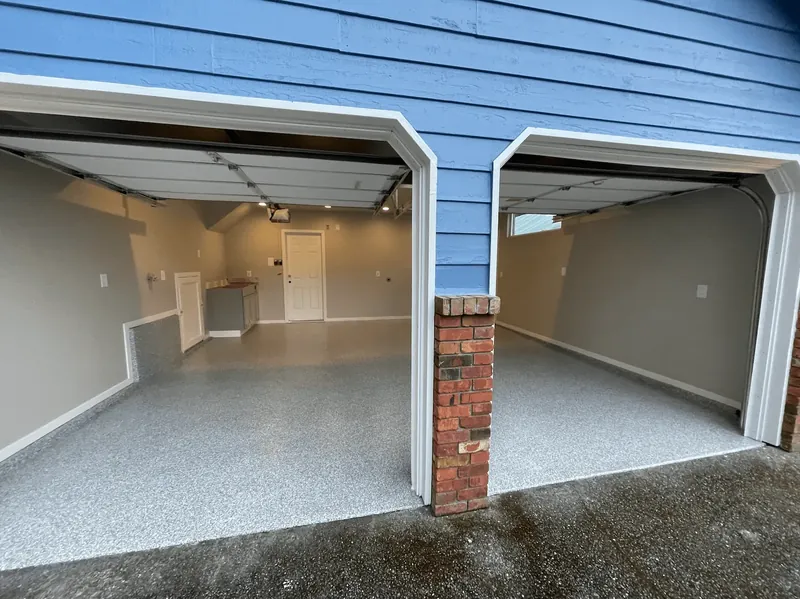
Google Business Profile for epoxy contractors: setup, reviews and staying unsuspended
Set up a Google Business Profile for an epoxy flooring company: service area, name rules, categories, services, verification, photos, reviews and suspensions.
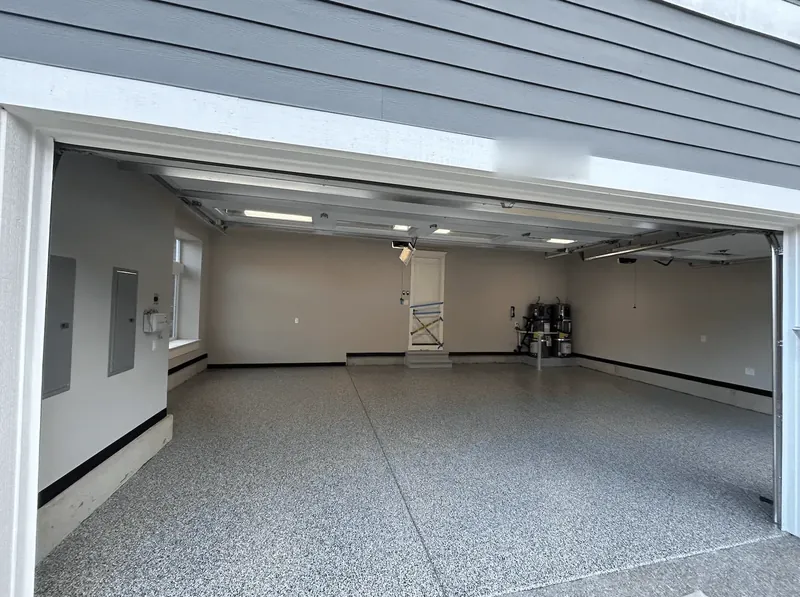
Google Ads for epoxy flooring: search ads, Local Services Ads and what a booked job costs
How epoxy flooring contractors use Google Ads: search vs Local Services Ads, keywords and negatives, budgets as a method, landing pages and call tracking.
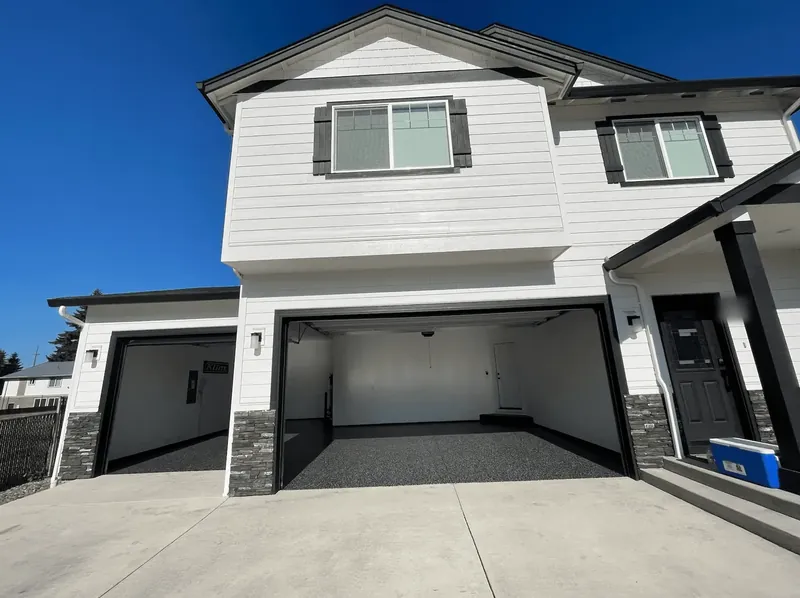
Epoxy flooring marketing: where coating jobs come from, and what each channel costs
Where epoxy flooring leads come from, from Google Business Profile and reviews to Local Services Ads, Meta and Angi, with lead costs and a 90-day plan.
The epoxy flooring sales process: from first call to signed contract
The in-home epoxy flooring sales process: pre-qualifying calls, measuring, moisture checks, three options, the $200 DIY kit objection, deposits and follow-up.